> For the complete documentation index, see [llms.txt](https://help.textrp.io/llms.txt). Markdown versions of documentation pages are available by appending `.md` to page URLs; this page is available as [Markdown](https://help.textrp.io/opulence-edition-launch-packs/legacy-lp-redemption.md).
# Legacy LP Redemption
During the promotional period Launch Packs may be redeemed for a special edition Launch Pack. Limit two (2) per eligible wallet. While supplies last.
**Legacy redemption:**
:warning: Redemption of a Legacy Launch Pack means you will burn a Launch Pack NFT to receive an Opulence Edition Launch Pack NFT. Please be absolutely certain of your decision to redeem and understand the [rules](/opulence-edition-launch-packs/redemption-rules.md).
:relaxed: **To redeem, follow these steps:**
1. First, let's make sure your wallet qualifies for this. We compiled a list [HERE](https://docs.google.com/spreadsheets/d/1EhTMajNfxDm11pfN6WYpVEuL7858PEchz6NS8gkza7A/edit?usp=sharing) for you to confirm your wallet is in there. `DO NOT CONTINUE IF YOUR WALLET ADDRESS IS NOT ON THE LIST`
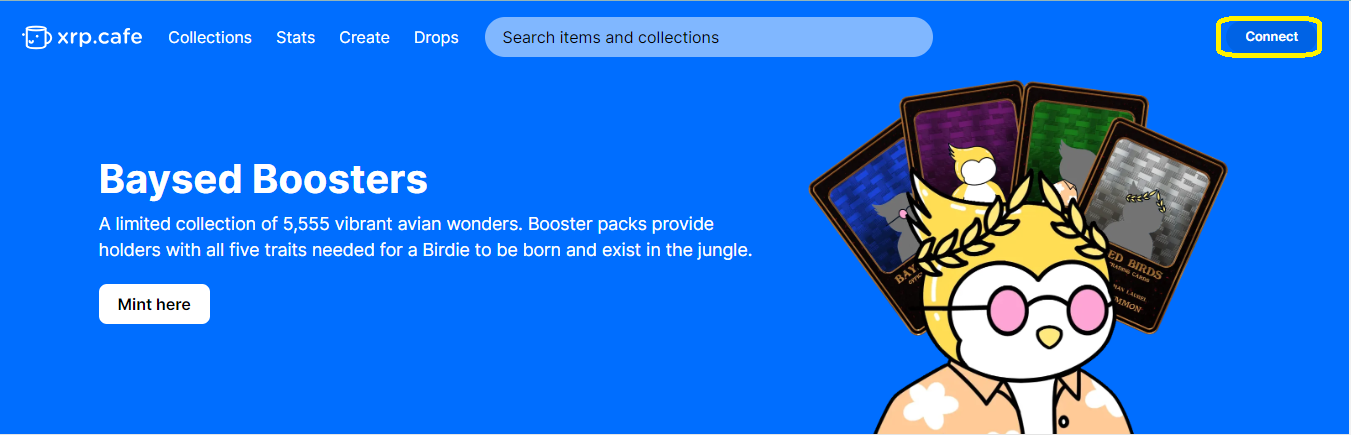
2. **Login and Connect Wallet:**
* Visit and log in to your account.
* At the top right corner of the page, locate and click on the option to connect your wallet.
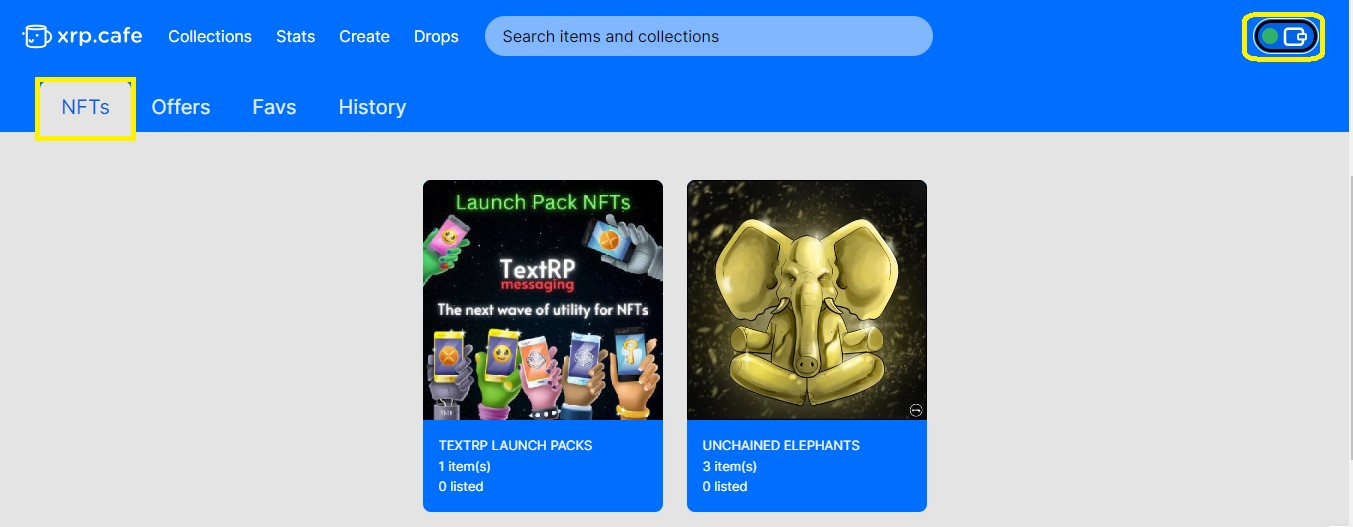
3. **Select NFT for burning:**
* Choose the specific NFT from your collection that you wish to burn.
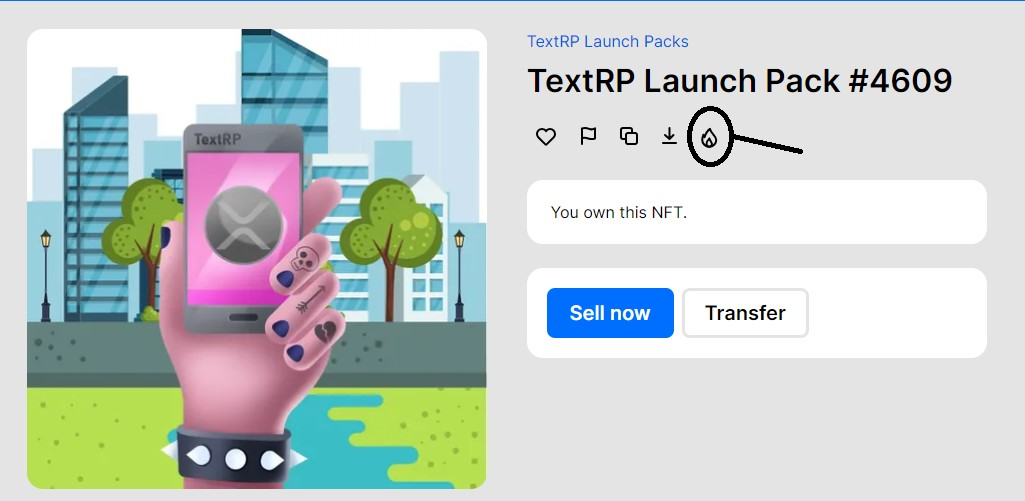
4. **Initiate the burning process:**
* Look for the flame icon associated with the selected NFT.
* Click on the flame icon to start the burning process.
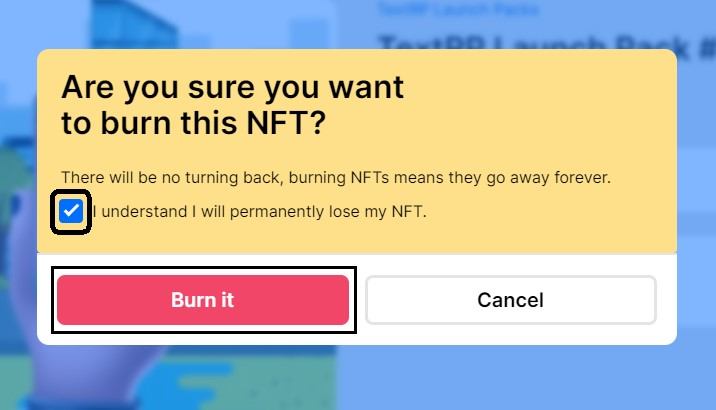
5. **Confirmation and Transaction Approval:**
* A prompt will appear to confirm if you want to proceed with burning the NFT.
* Approve the transaction to complete the burning process.
6. Now just let us know! Navigate to [team.textrp.io](http://team.textrp.io) to open a Support Ticket. Include the last 5 digits of your wallet and "LP redemption for special edition LP" or similar message. Please do not open a ticket in our Discord server, use [team.textrp.io](http://team.textrp.io)
* TextRP will send a random Opulence Edition NFT to the wallet within 48 hours. You will need to accept the NFT on your end by signing the transaction in your wallet to accept the Opulence Edition Launch Pack, and your redemption is complete.